# Artificial Intelligence (AI) 🧠
Artificial Intelligence *(AI) It becomes an integral part of our daily lives. Its application covers a variety of areas, including Telegram communities.
ChatKeeper (TG (opens new window),MAX (opens new window), VK (opens new window)) научился использовать искусственный интеллект и адаптировал его в своих инструментах для лучшего взаимодействия с пользователями чатов и форумов.
What do we know about the chat audience and how can artificial intelligence help us to make chat communication:
— comfortable
— safe
— interesting
— effective?
**Chatkeeper is installed in thousands of chats and knows its audience better than anyone else. We took this experience into account, added some AI and got tools that significantly improved the chat experience.
Welcome new Chatkeeper features based on artificial intelligence!
# Filter 18+ content
Для всех чатов, где присутствует аудитория разных возрастов, мы рекомендуем включать фильтр 18+ (TG (opens new window), MAX (opens new window), VK (opens new window)).
What is the danger of spam with erotic content:
— there may be channels with dangerous posts in the profile of spammers
— complaints about 18+ content may cause your chat to be blocked
Based on neural network algorithms, Chatkeeper will automatically detect explicit content in any form. These include erotic and porn stickers, images, photos, videos, gifs, etc.
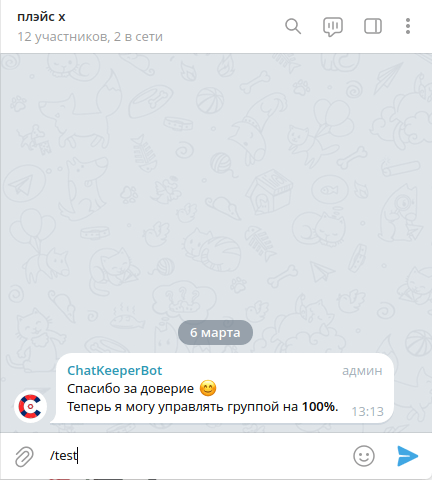
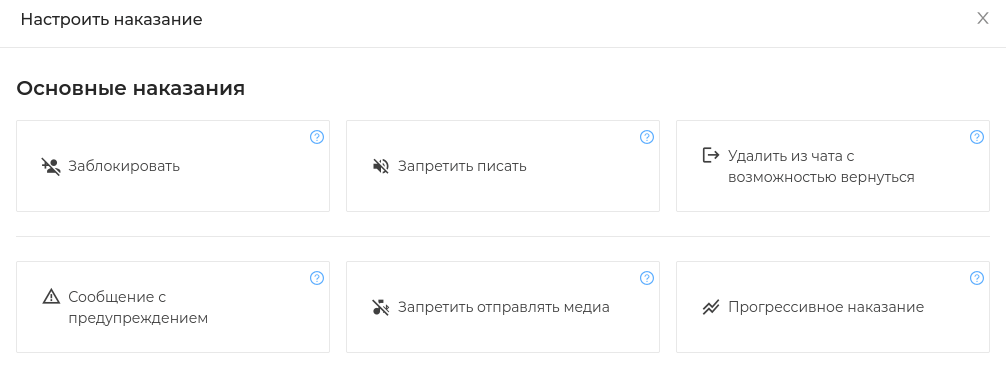
All standard types of actions can be selected as punishments for publishing 18+ materials.
We recommend that you: * prohibit sending media for 10 minutes with the deletion of the violator's message.*
Внимание
Фильтр 18+ не реагирует на текстовые сообщения эротического содержания. Дополнительно включите фильтр стоп-слов (TG (opens new window),MAX (opens new window), VK (opens new window)) и систему автоматического обнаружения спамеров (TG (opens new window), MAX (opens new window), VK (opens new window)), которая может удалять спамные сообщения любого содержания.
# Identifying negativity in messages
The most difficult audience of the chat is the "toxic", "radical" and "rude" participants. They can inflame disputes, insult other participants, make radical statements and inflame the situation. 🤬
Chat admins are forced to intervene in controversial situations, manually issue warnings and punishments.
С помощью нейросети ChatKeeper (TG (opens new window),MAX (opens new window), VK (opens new window)) умеет определять различные уровни негативна в сообщениях участников. Это облегчает работу админов и дополняет фильтр мата и стоп-слов.
The bot will skip neutral and positive messages, but respond to those that spoil the atmosphere of the chat to varying degrees.:
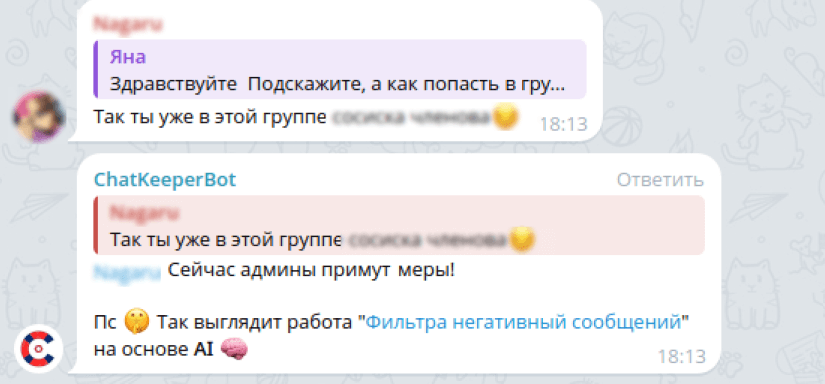
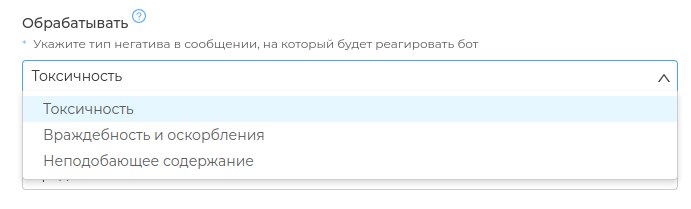
What type of negative messages can a bot identify:
Toxicity — the message does not contain direct insults, but it offends and humiliates the participant.
** Hostility and insults** — the message contains a direct insult, rude words close to the mate.
Radicalism — the message contains non-politically correct statements, appeals, black humor, socially dangerous and immoral attitude.
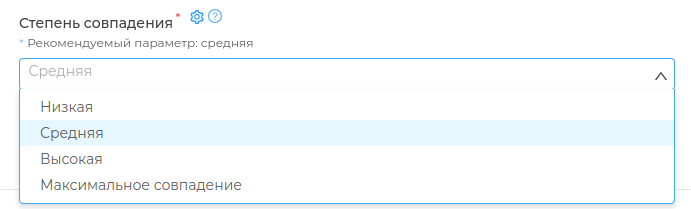
Chatkeeper is not only able to identify the type of negative content, but also its degree and depth. For example, you can catch messages that are weak or as similar as possible to insults.
Hint
For chats with a free form of communication, where there is slang and jokes, we recommend choosing the degree of coincidence is "high" or "maximum".
Where can I use it:
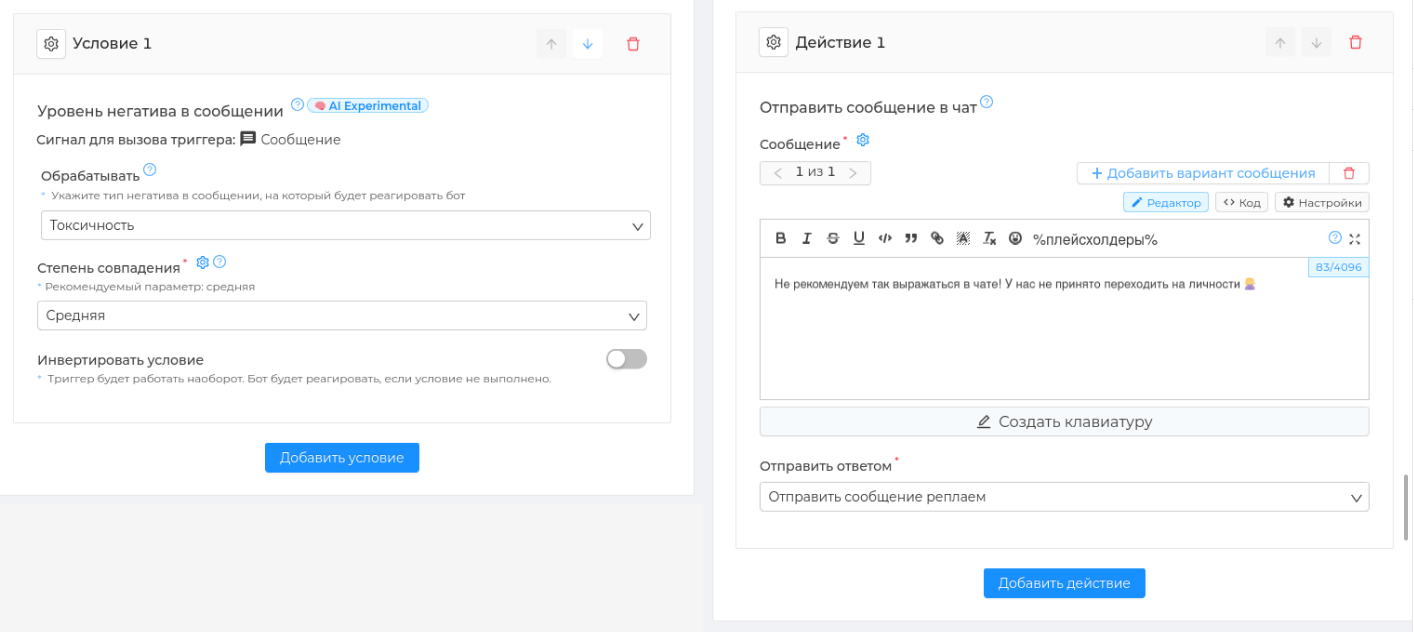
# Triggers with the condition "** The level of negativity in the message**"
Triggers with negative recognition will help to automatically issue mild warnings to regular participants who do not commit gross violations, but sometimes behave in an ugly way. For example, for toxic messages that offend other participants.
К сообщению с предупреждением можно добавить штрафы в очках, обидное достижение (TG (opens new window), MAX (opens new window), VK (opens new window)) и запрет писать на 10 мин, чтобы успокоить участника.
# Filter negative messages
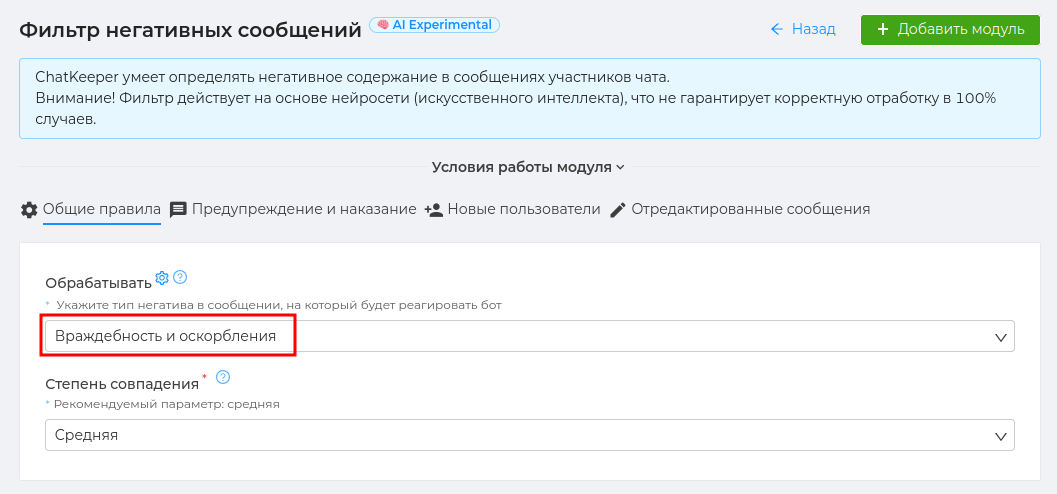
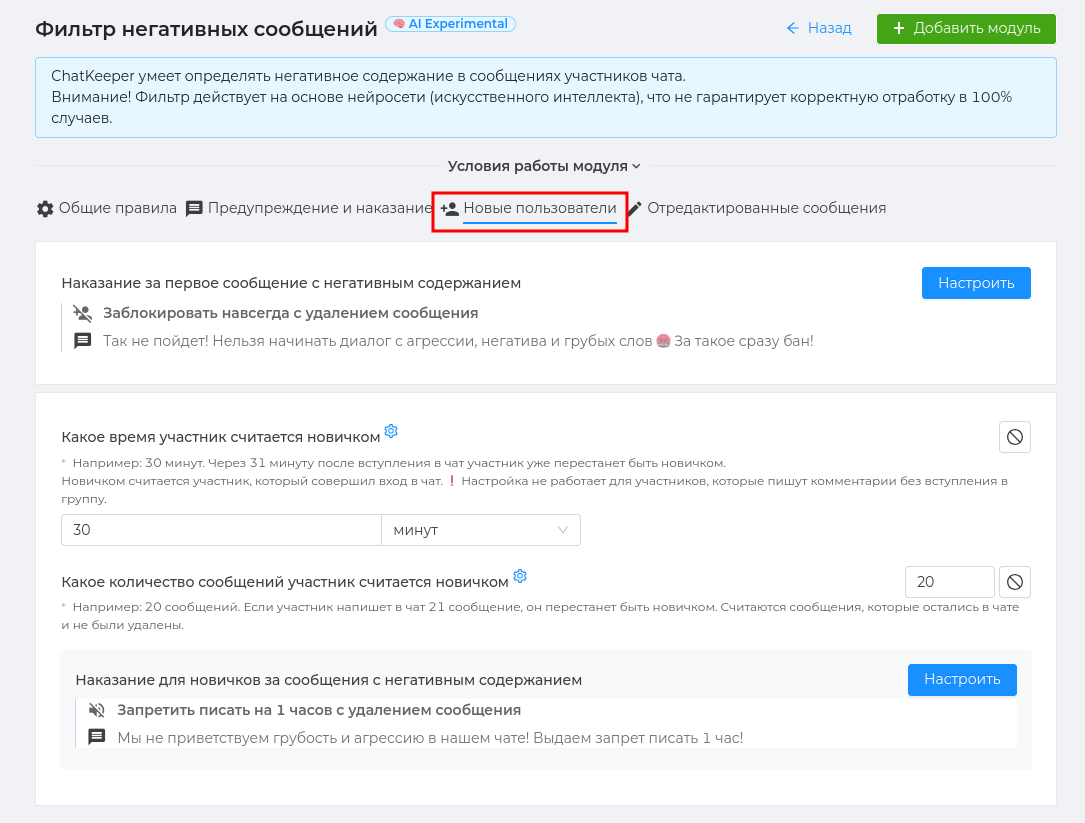
Фильтр негативных сообщений (TG (opens new window), MAX (opens new window), VK (opens new window)) можно использовать для защиты чата от новичков, которые вступаю в чат для разжигания конфликтов.
For example, for rudeness and insult in the first message after joining, you can **permanently block ** a beginner. And for similar behavior in the first 30 minutes, you can give a more lenient punishment, for example, ** prohibit writing for 1 hour **.
# Chat message digest
Chatkeeper uses artificial intelligence to analyze chat messages at different levels. Admins no longer need to proofread messages per day to understand what your chat is interested in and lives by.
С помощью нейросети Chatkeeper умеет находить самые активные обсуждения и автоматически формировать их в дайджест (TG (opens new window), MAX (opens new window), VK (opens new window)).
Message Digest is the top 10 hottest discussions that have been in the chat over the past 24 hours. The digest contains discussion topics, the number of posts in them, and direct links to the discussions. The headlines of all discussions in the digest are generated by a neural network. They reflect the topic of all written messages in a particular discussion. Each participant can join the topic of interest and leave a message.
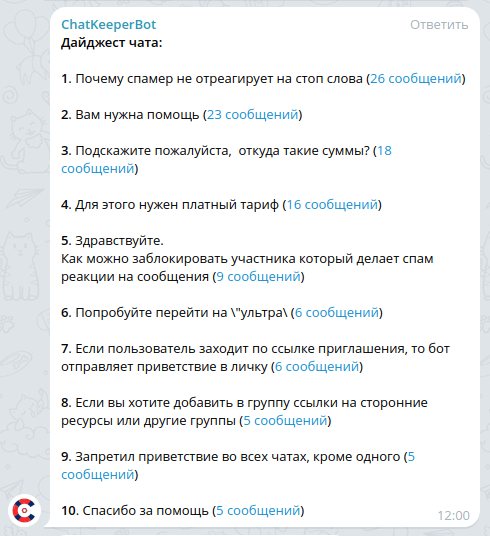
Дайджест сообщений формируется и отправляется в чат 1 раз в день в заданное время. Предыдущий дайджест остается в чате.

# Digest of posts in the channel
Напоминаем, Chatkeeper умеет делать посты (TG (opens new window), MAX (opens new window)) в чат и закрепленный за чатом канал! Если вы активно используете постинг, дайджест постов поможет пользователям не пропустить ни одной важной публикации.
The digest of posts is the top 10 popular posts in the pinned channel with the largest number of comments. The digest contains the titles of publications and direct links to them.
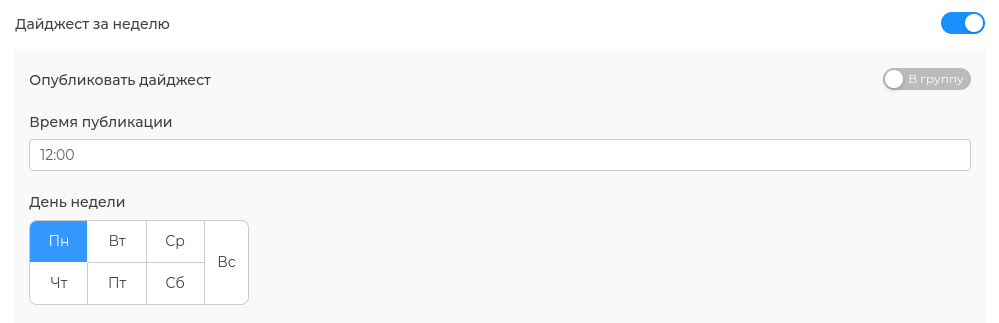
Дайджест постов (TG (opens new window), MAX (opens new window)) можно формировать за день/неделю/месяц и выбрать для размещения чат или закрепленный канал. Дайджест формируется и отправляется 1 раз в день в заданное время и день недели. Предыдущий дайджест остается в чате/канале.
Attention
The digest of posts ** for the day** is always sent to the chat** by default. For a weekly and monthly digest, you can choose to post in a chat or in a pinned channel.
# The message is similar
Условие в триггере (TG (opens new window), MAX (opens new window), VK (opens new window)) "Сообщение похоже на" создано для самых ленивых 😉 и тех, кто ценит свое время. Вам достаточно указать в условии на что должно быть похоже сообщение, чтобы триггер сработал.
The condition "The message looks like" is processed by a neural network. The bot will compare everything that you specified in the condition and respond to similar messages in the chat.
# Trigger with the condition "The message looks like"
To show how a condition works based on a neural network, let's try to create a simple trigger with it. Purpose of the trigger: to respond to all messages in the style of "Who are you? What kind of chat is this? What can I do here? ". Such a trigger will quickly introduce a beginner to the chat topic and its rules.
1. Name
Come up with a name for the trigger. It will be visible only to you and will help you quickly search for ready-made triggers in your personal account.

2. Choosing a condition
Click "Add the condition " to the ** block"Condition group #1"** We need a signal "Message" and the condition in it **Message is similar **.
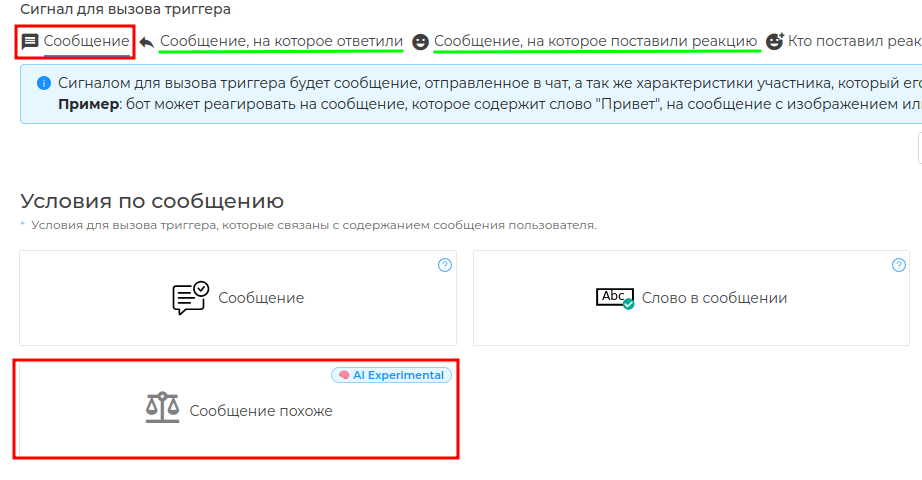
Hint
Condition "The message looks like " is contained in several trigger signals at once: * a message/ a message that has been answered/ a message that has been reacted to.*
3. Making settings in the condition
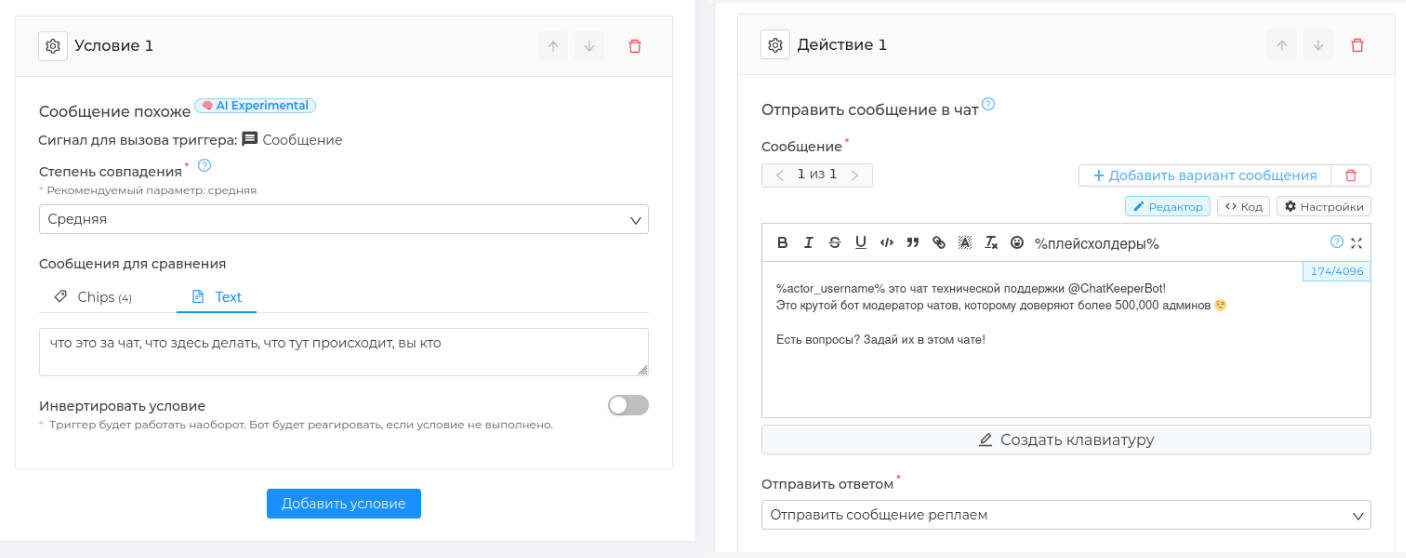
In the field "Messages for comparison" it is necessary to specify the message options that the neural network will compare with chat messages. The trigger will be triggered on chat messages that are similar to the options from the condition.
Setting up messages for comparison: * what kind of chat is this, what to do here, what's going on here, who are you*
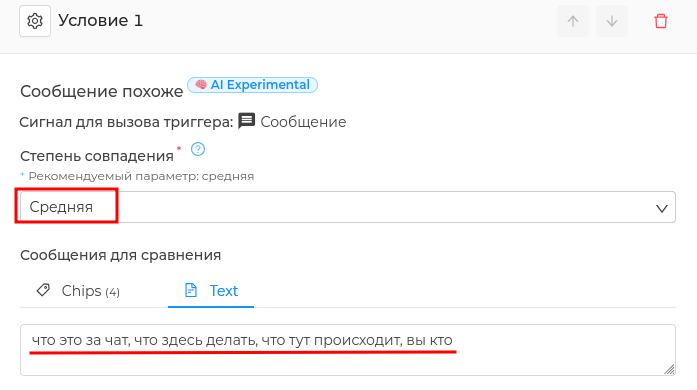
In the field "Degree of match" we select how much the chat message must match the message from the condition in order for the trigger to work.
We recommend the degree of match: Medium
For example, if the condition is * "who are you", the bot will respond to * "who are you all here?" - the message that the bot responded to is "Average" similar to the condition.
4. Action
Click "Add the action " to the block "Action Group #1" We need action "Send a message to the chat". We set a text that will quickly explain to the participant which chat he got into.
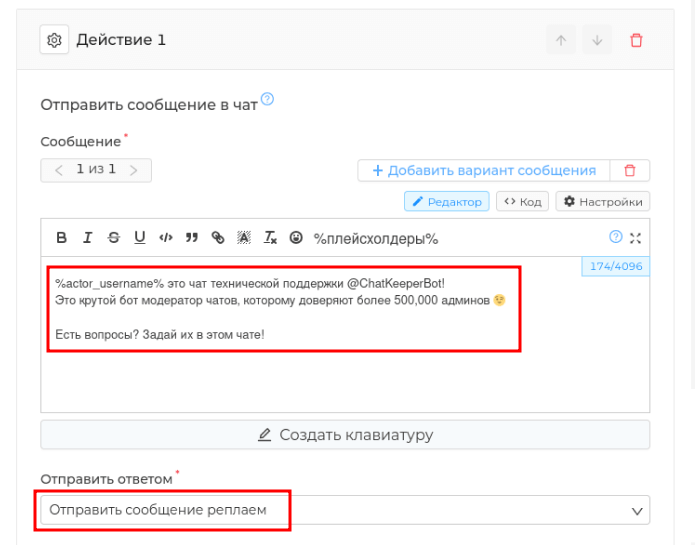 Select send reply replay.
5. Save the trigger Be sure to press the green button "Save ✅" in the trigger.
What does our ready-made trigger look like:
 6. Checking the trigger operation
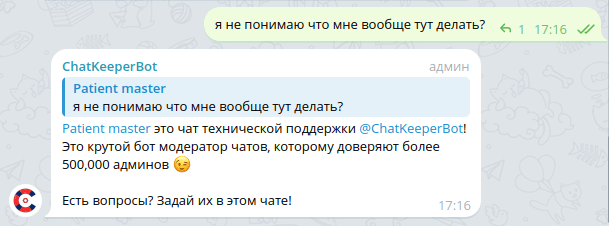
The trigger has been triggered: "* I don't understand what am I supposed to do here?*" — the message ** is "average"** similar to the condition "what to do here"
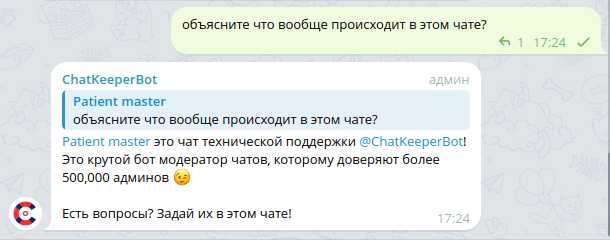
✅ The trigger went off: "Explain what's going on in this chat?" — the message ** is "average"** similar to the condition "what's going on here"
# Knowledge base
Теперь ChatKeeper (TG (opens new window),MAX (opens new window), VK (opens new window)) может хранить в себе гигантскую базу знаний (TG (opens new window), MAX (opens new window), VK (opens new window)) и использовать ее для ответов на вопросы участников чата! С помощью искусственного интеллекта 🧠 бот научился самостоятельно подбирать нужные ответы из своей базы и отправлять их участникам в чат. Все что вам нужно, это создать шаблоны ответов на самые популярные темы вашего чата — дальше бот самостоятельно разберется кому их отсылать.
An example of how the knowledge base works in a chat:
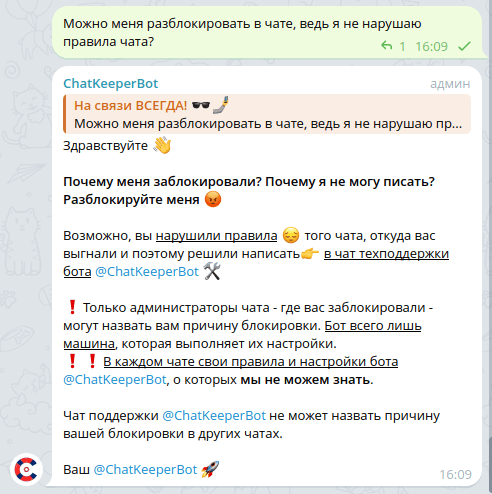
Attention
The bot handles questions that end in "?" and consist ** of 3 words** or more.
Upload ready-made templates to the knowledge base that the bot can use to respond to chat participants.
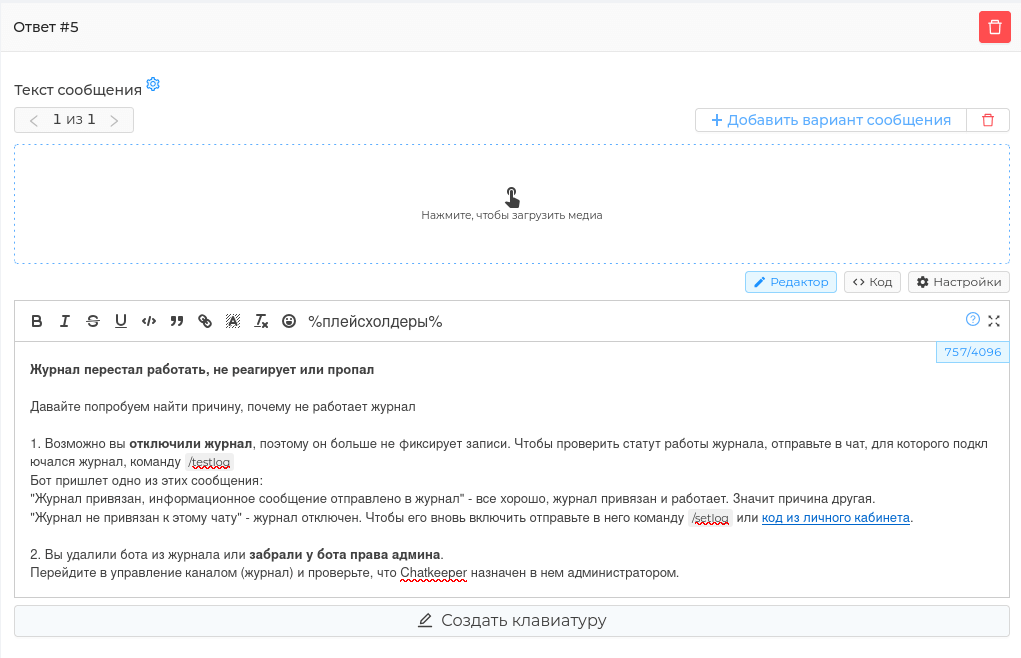
A Template is a ** detailed answer to a specific topic and question** that a participant can ask in a chat. To create an answer template correctly, identify the topics that chat participants communicate on most often, then identify the popular categories of questions in the chat on this topic.
Example Topic: Chatkeeper Event Log An example of a question on this topic from the chat: "Hello! The bot's log has been closed since September 4th. The magazine is connected. What could this be related to?"
Response template:
** How it will look in the chat**:
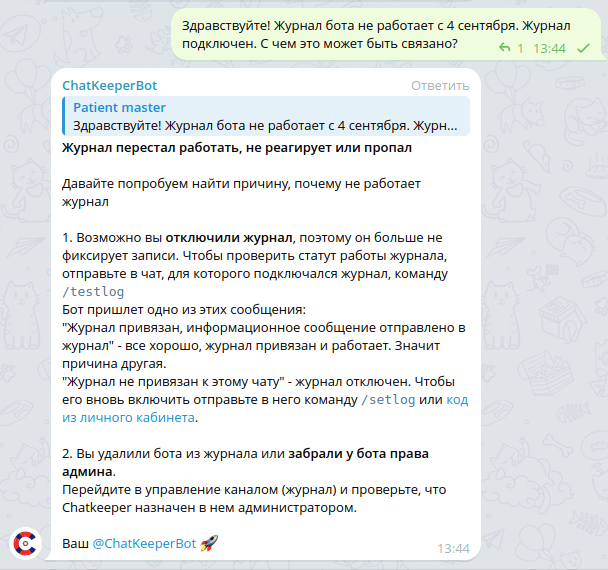
The bot processed the participant's question and found a suitable response template** in the database**.
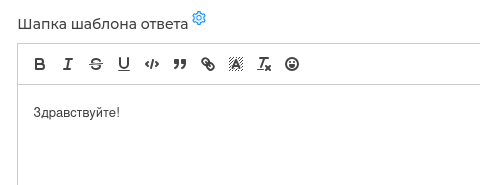
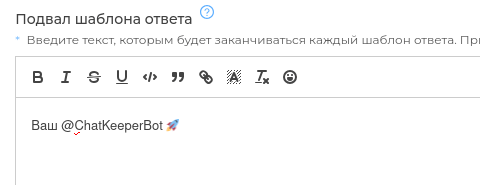
You can set a single header and basement for all bot responses. For example, all responses can start with "Hello" and end with "Contact 😉" or "Your @ChatKeeperBot 🚀"
← Triggers Auto-replies →