# Валидация Форм
Подсказка
Доступно в тарифе Advanced
Внимание
Напомним, что отличие форм с валидацией и форм без валидации в том, что в первом случае, запрос о допущении пользователя придет, а в форме без валидации нет.
Сначала нужно создать форму для проверки новых пользователей. Сделать это можно в разделе «Формы», нажав на кнопку «Создать новую»
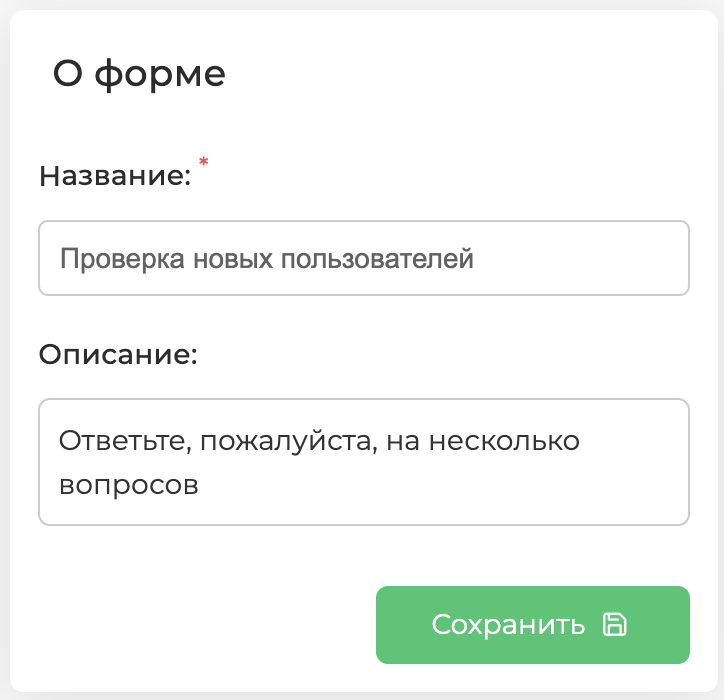
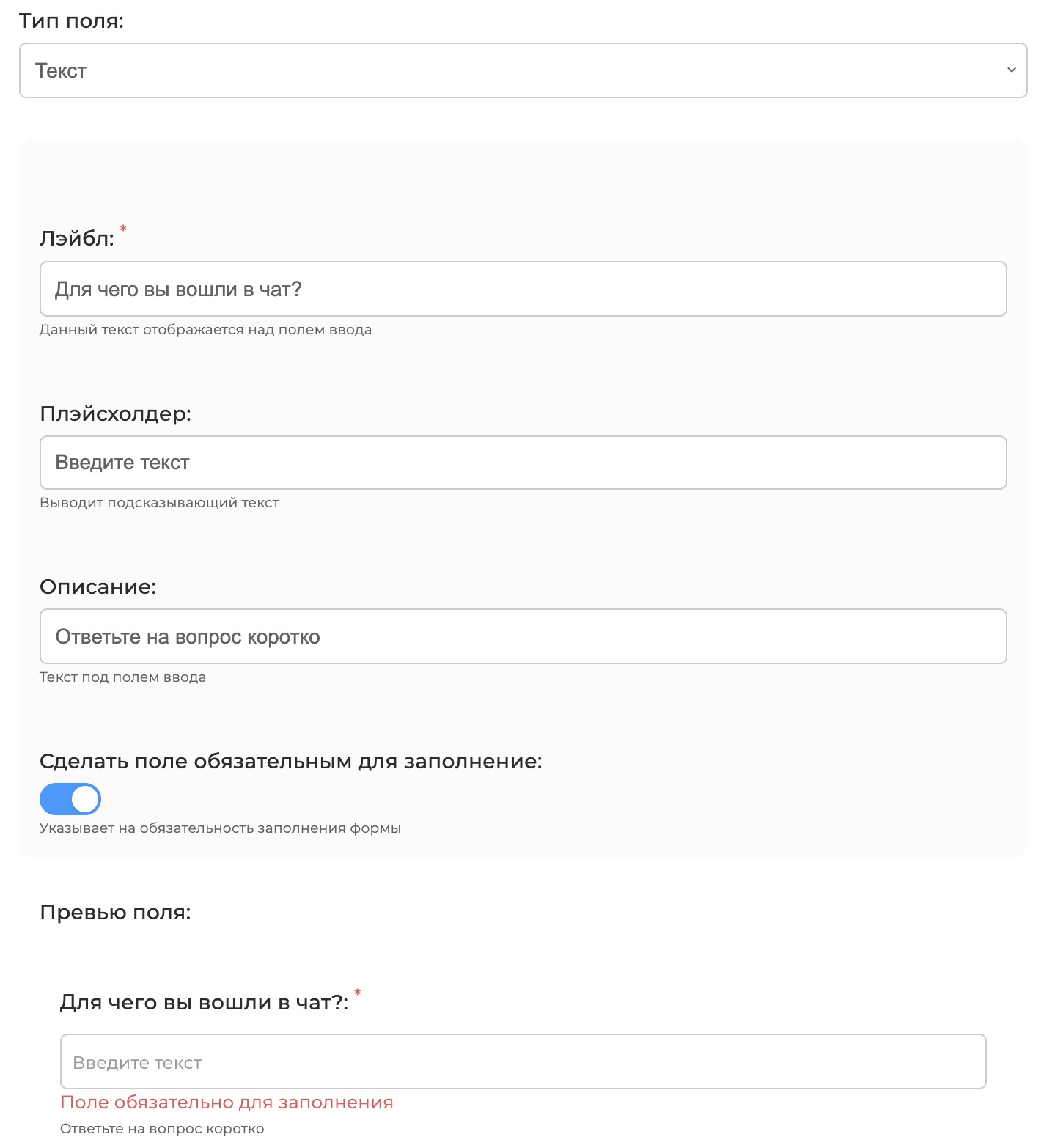
Оформляем форму, например:
- Включаем тумблер «Сделать поле обязательным для заполнения»
- Далее, сохраняем форму и переходим в раздел «Приветствие»
- Пишем текст приветствия новых пользователей и включаем тумблер «Проверять новых пользователей»

- Задаем текст кнопки, которая будет в одном сообщении с текстом приветствия

- Далее, переходим к настройкам валидации
- Выбираем тип защиты: «Форма с валидацией» или «Форма без валидации»
- Выбираем пользователей, которым будут приходить итоги заполнения формы
- Выбираем из списка форму для новых пользователей, которую мы создали
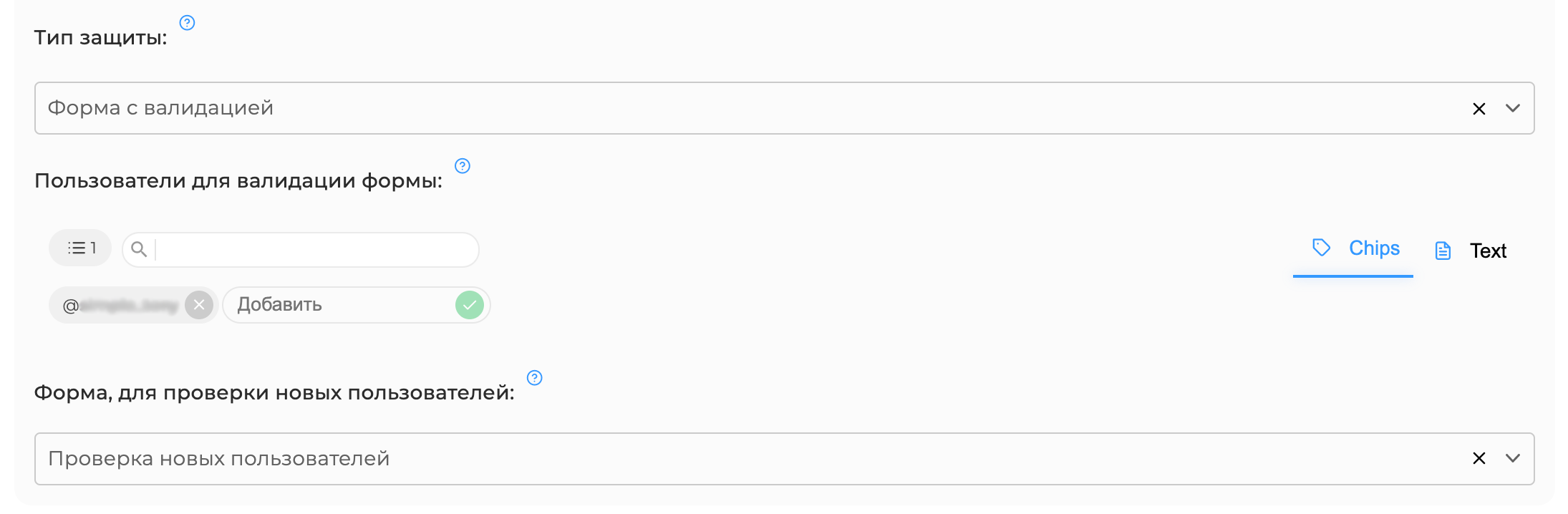
- Обязательно сохраняем
И теперь, когда новый пользователь будет входить в чат, приветствие будет выглядить следующим образом:

После того, как пользователь нажимает «Начать», он переходит к заполнению валидации:
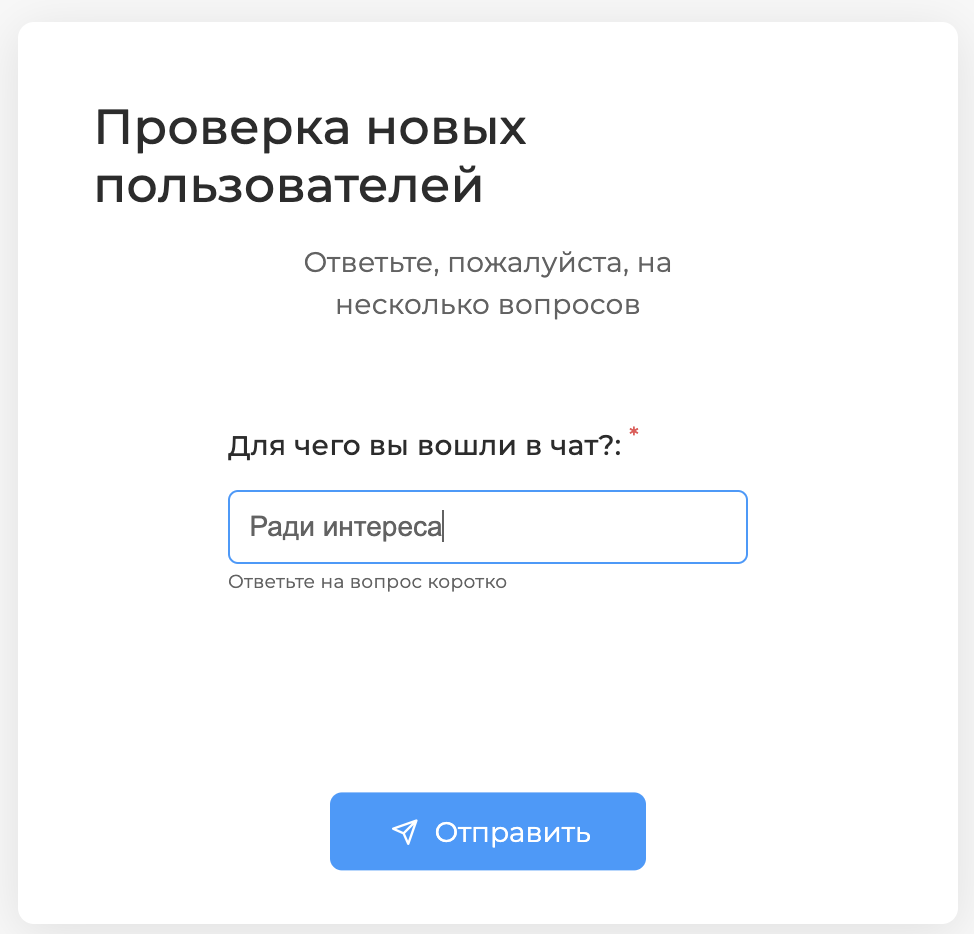
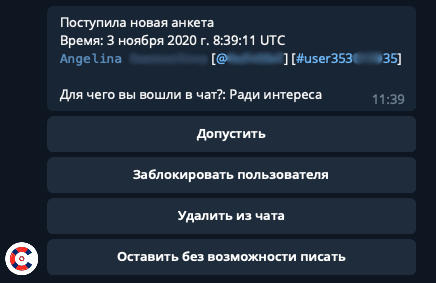
После прохождения валидации, пользователям, которых вы указали в настройках, придет такое оповещение:
✅ Готово!
← Формы Брендирование →